
Manual vs Automated WordPress Maintenance: Which Is Better?
Compare manual and automated WordPress maintenance. Discover pros, cons, costs, and a checklist to keep your site secure, fast, and efficient.

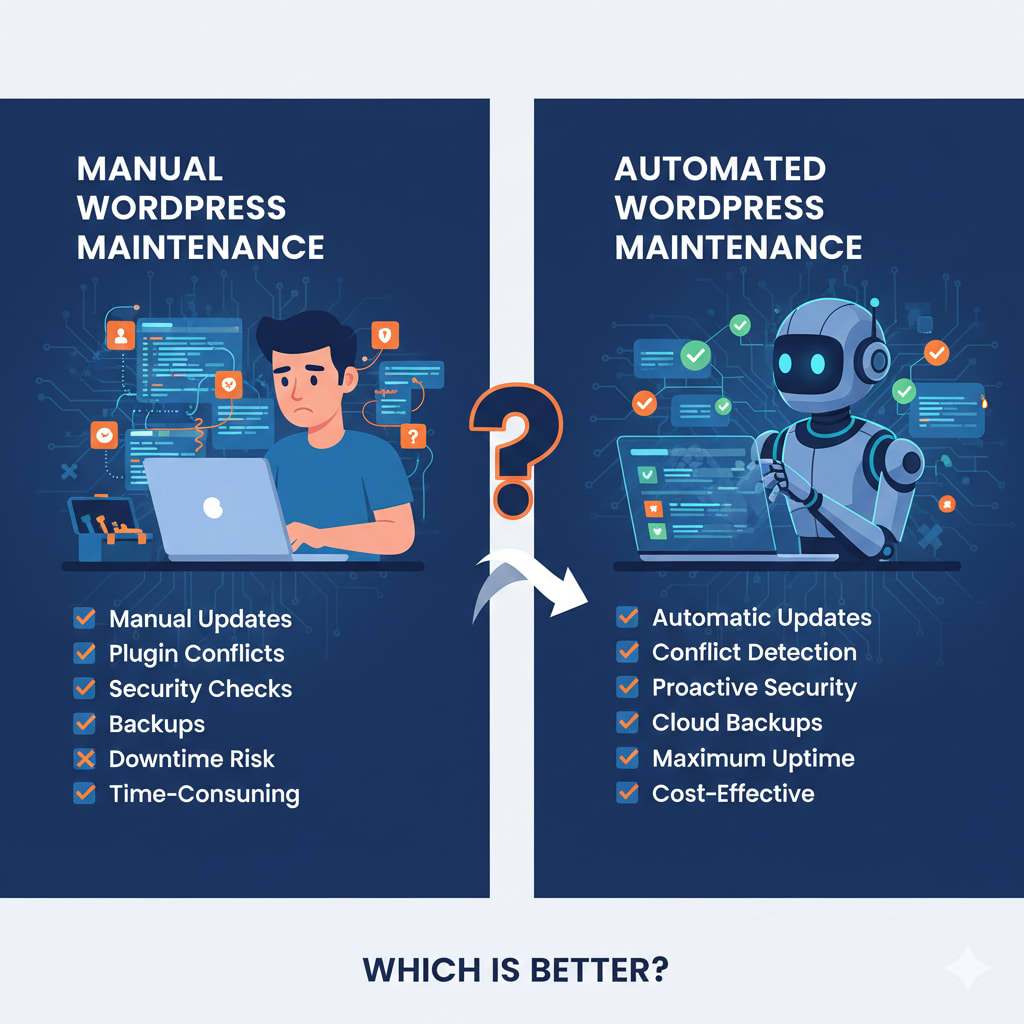
Maintaining a WordPress website is more than just updating plugins or themes; it's about keeping your site secure, fast, and performing at its best. Whether you run a personal blog, an online store, or a business website, regular maintenance ensures that visitors have a smooth experience and that your SEO doesn’t take a hit.
But when it comes to maintenance, site owners often face a key question: should you handle it manually, or rely on automated tools and plugins? Both approaches have their advantages and drawbacks, and the choice depends on your goals, technical skills, and the complexity of your website.
This guide breaks down manual vs. automated WordPress maintenance, comparing their efficiency, cost, and long-term value. By the end, you’ll have a clear understanding of which approach fits your website best.
What Is WordPress Maintenance and Why It Matters
WordPress maintenance involves the regular tasks needed to keep your website running smoothly. Without consistent upkeep, even the most beautifully designed website can suffer from slow loading times, security vulnerabilities, broken links, and poor search engine rankings.
Key Tasks Included in WordPress Maintenance
A proper maintenance routine typically covers:
Core, theme, and plugin updates to prevent security issues and compatibility problems
Backups to protect against data loss
Security monitoring to detect malware or hacking attempts
Performance optimization for fast page loading and smooth navigation
Broken link checks and database cleanup to improve SEO and user experience
The Importance of a WordPress Maintenance Checklist
Having a checklist ensures no task is forgotten. It reduces downtime, keeps your site secure, and allows you to maintain a professional, reliable online presence. Whether you handle maintenance manually or use automated tools, a checklist is essential for consistency.
Manual WordPress Maintenance: What It Involves, Pros, and Cons
Manual WordPress maintenance is the traditional, human-driven approach. It requires hands-on attention to every update, backup, and security check.
How Manual Maintenance Works
A site admin or developer typically handles:
- Updating WordPress core, themes, and plugins
- Running backups and storing them safely
- Checking site speed and optimizing performance
- Monitoring security and performing scans
- Fixing broken links and other minor issues
Pros of Manual Maintenance
- Full control: You decide what gets updated and when
- Custom solutions: Tailored fixes for your unique website setup
- Precision: Human oversight can catch issues automation might miss
Cons of Manual Maintenance
- Time-consuming: Regular updates and checks require hours of effort
- Technical skills needed: You must understand WordPress, plugins, and troubleshooting
- Risk of human error: Forgetting updates or misconfiguring plugins can cause problems
Automated WordPress Maintenance: How It Works and Its Benefits
Automated maintenance relies on plugins or services to handle routine tasks for you. These tools can save time and reduce the likelihood of errors, but they aren’t without limitations.
How Automated Maintenance Works
Popular automation tools like ManageWP, Jetpack, UpdraftPlus, or WP Remote can:
- Automatically update WordPress core, themes, and plugins
- Schedule and store backups
- Scan for malware or security threats
- Monitor website performance
Once set up, these tools manage maintenance in the background, giving site owners peace of mind without requiring technical expertise.
Pros of Automated Maintenance
- Saves time: Routine tasks are handled automatically
- User-friendly: No coding or advanced technical knowledge required
- Reduces human error: Updates, backups, and scans happen consistently
Cons of Automated Maintenance
- Limited control: You may not choose exactly how and when updates happen
- Plugin conflicts: Automatic updates can occasionally break themes or plugins
- Less customization: Automated tools may not handle complex or unique setups
Manual vs. Automated WordPress Maintenance: A Side-by-Side Comparison
| Feature / Task | Manual Maintenance | Automated Maintenance |
|--------------------------|-----------------|---------------------|
| Updates (core, themes, plugins) | ✔ Manual | ✔ Automatic |
| Backups | ✔ Manual | ✔ Automatic |
| Security monitoring | ✔ Manual | ✔ Automatic |
| Performance optimization | ✔ Manual | ✔ Automatic |
| Time investment | High | Low |
| Technical skill required | High | Minimal |
| Customization & flexibility | High | Limited
Efficiency and Accuracy
- Manual maintenance is slower but precise. Every update is tested and tailored to your site.
- Automated maintenance is faster and consistent, but may occasionally miss unique issues or conflict with custom code.
Cost Considerations
- Manual maintenance: Freelancers or agencies may charge $50–$ 1,000 or more per month, depending on the complexity.
- Automated maintenance: Plugins and SaaS platforms typically cost between $5 and $50 per month.
- Manual maintenance is better for websites that require high customization, advanced features, or scalability.
- Automated maintenance works well for smaller sites, personal blogs, or startups that prioritize time savings and consistency.
- High-traffic or complex websites
- Sites requiring custom features or heavy integrations
- Businesses that need precise control over updates and security
- Small blogs, startups, or personal websites
- Site owners with limited time or technical knowledge
- Projects where speed and simplicity are the priority
- Core, theme, and plugin updates
- Regular backups and testing restore functionality
- Security scans and malware monitoring
- Page speed and performance optimization
- Broken link and database cleanup
- SEO checks to ensure search visibility
Long-Term Value
Choosing the Right Approach for Your Website
When Manual Maintenance Is Ideal
When Automated Maintenance Works Best
Hybrid Approach
For many site owners, a combination of automated tools for routine tasks and manual oversight for critical updates strikes the best balance between efficiency and control.
WordPress Maintenance Checklist – Essentials to Include
Regardless of the approach, your maintenance checklist should cover:
Conclusion
Both manual and automated WordPress maintenance have their place. Manual maintenance offers control, flexibility, and precision for complex sites, while automated tools save time and simplify routine tasks.
The best approach depends on your website’s size, complexity, and the resources you can dedicate. For many site owners, a hybrid approach combining automation with periodic manual checks provides the ideal balance of efficiency, security, and long-term value.
By following a solid WordPress maintenance checklist, you can ensure your site stays secure, fast, and always ready to deliver the best experience to your visitors.
About the Creator
Henry Davids
Hi, I’m Henry Davids!
I’m passionate about technology, web development, and helping businesses grow online. I write about website development, SEO, digital marketing, and practical tech insights that make complex ideas easier to understand.
Keep reading
More stories from Henry Davids and writers in 01 and other communities.
How AI Search Is Reshaping Multilingual SEO for eCommerce Websites?
Expanding an eCommerce store into multiple countries is no longer just about translating product pages into different languages. Search engines have evolved, and so has the way they evaluate multilingual websites.
By Henry Davids3 days ago in 01
Choosing Between a Web App and a SaaS Platform for Your Business
Majority of business transactions in today's digital economy are carried out via a web browser. From internal data management to customer-facing tools, cloud-based software has become the norm. But a point of confusion emerges between web apps and SaaS platforms. You see, every SaaS platform is a web app. However, it does not necessarily hold true the other way around. The key is in how each of the software is developed and hosted over time. A web application is primarily defined by its technical architecture and user interface. Whereas SaaS refers to a specific business and delivery model. For any modern business it is imperative to understand these structural differences.
By Ryan Williamson2 days ago in 01
Where there's Art there's Heart
Here's a stupid thing: I adore art, but I start to panic whenever I step into a gallery. In the one place I should be at my contented best - surrounded by walls teeming with creative expression - I fall apart. What ought to be an enriching experience, tacitly designed to facilitate the exploration of human empathy and perspective, is for me an overwhelming purgatory of anxiety that compresses me to the point I cannot breathe. At the same time, I experience a sense of extraction, as though my head is being prized open to create a hole so big my sanity could evaporate. Somewhere between these two opposing forces of vice and vortex, I feel myself dissolving in a stream of panic that makes me want to cry; and I feel so daft feeling this way, that all I want to do is run for the hills.
By Caroline Jane3 days ago in Humans



Comments
There are no comments for this story
Be the first to respond and start the conversation.