
How AI Tools Are Speeding Up Software Development Lifecycle
How AI Tools Are Speeding Up the Software Development Lifecycle

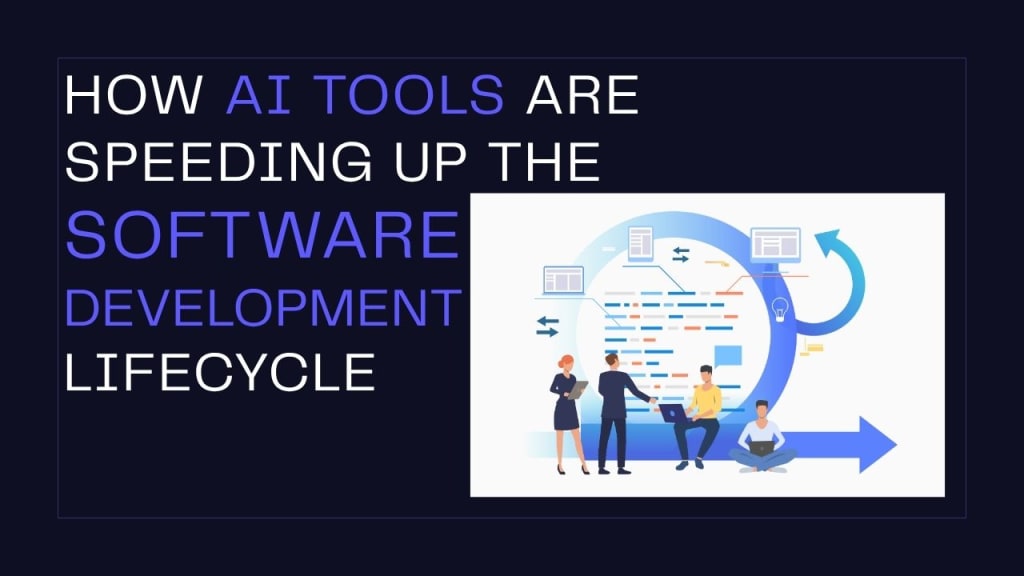
In the fast-evolving world of software development, efficiency, accuracy, and scalability have become non-negotiable. Traditional development cycles—marked by lengthy planning, manual testing, and time-consuming deployments—can no longer meet the demands of modern digital transformation. That’s where AI steps in.
Key Points
- AI tools are revolutionizing every phase of the Software Development Lifecycle (SDLC), from planning to maintenance.
- Developers and companies are saving time, reducing bugs, and boosting product quality using AI-driven automation and intelligent decision-making.
- Examples like GitHub Copilot, Testim, and Amazon CodeWhisperer show how AI is already integrated into real-world dev environments.
AI tools are now reshaping the Software Development Lifecycle (SDLC) from the ground up. By automating repetitive tasks, offering intelligent code suggestions, and improving test reliability, these tools are cutting time-to-market and elevating software quality. From startups to enterprise teams, AI is helping developers build faster, smarter, and with fewer errors.
What Is the Software Development Lifecycle (SDLC)?
The Software Development Lifecycle (SDLC) is a structured approach followed by software teams to design, develop, test, deploy, and maintain high-quality software. It ensures that software products are delivered efficiently, with minimized risks and improved performance.
Core Phases of the SDLC:
- Requirement Gathering & Planning
- Design
- Development
- Testing
- Deployment
- Maintenance
Traditionally, each of these phases requires a significant amount of human effort, collaboration, and time. Moreover, they often occur in a sequential (or waterfall) manner, causing delays if changes or bugs emerge later in the process.
Choosing an expert software development company ensures your project is built with a deep understanding of architecture, scalability, and performance. These companies bring years of hands-on experience, technical excellence, and industry-specific insights that go beyond just writing code. They don’t just deliver software—they build reliable, secure, and future-ready solutions tailored to your unique goals.
The Role of AI in Modern Software Development
AI’s role in software development goes far beyond writing code. It includes:
- Automating routine tasks like writing boilerplate code or generating documentation
- Predictive analysis for spotting bugs before they occur
- Enhanced decision-making using data insights
- Natural Language Processing (NLP) for translating user stories into development tasks
- Generative AI to assist in UI design, logic creation, and architecture suggestions
Example:
GitHub Copilot and Amazon CodeWhisperer are AI-powered code completion tools trained on vast codebases. These assistants can auto-complete code snippets, suggest functions, and detect potential logic errors—helping developers code 2x faster.
How AI Enhances Each Phase of the SDLC
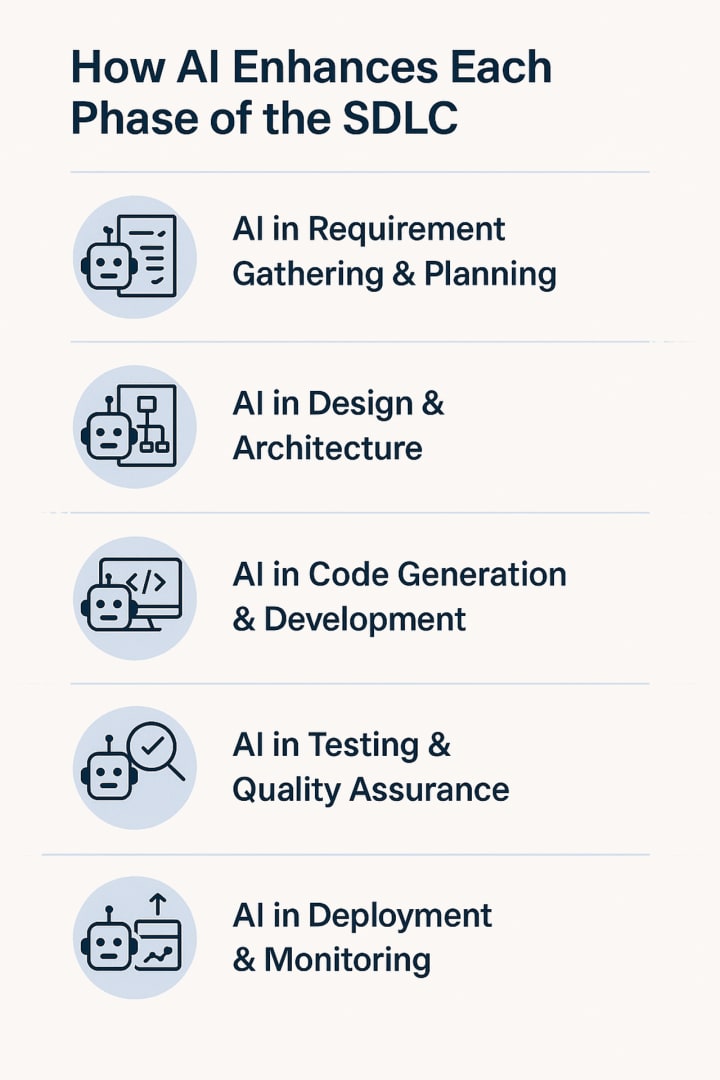
1. AI in Requirement Gathering & Planning
One of the most critical yet time-consuming phases, requirement gathering, is ripe for AI-driven improvement. AI can:
- Analyze large volumes of user feedback
- Summarize stakeholder interviews
- Translate business language into technical tasks
- Detect gaps in requirements
Example:
ChatGPT integrated with Notion AI can turn meeting transcripts and business inputs into structured user stories, epics, and tasks ready for development. This drastically reduces the back-and-forth between business analysts and developers.
2. AI in Design & Architecture
During the design phase, AI helps by:
- Suggesting a system architecture based on existing use cases
- Offering data flow diagrams
- Creating UI/UX mockups using natural language prompts
Example:
Uizard and Diagram AI allow product managers and designers to generate UI wireframes and system diagrams using simple inputs like "a login screen with two-factor authentication." This allows non-designers to participate in early design iterations.
3. AI in Code Generation & Development
This is where AI's impact is most visible. AI tools help developers:
- Auto-complete code
- Generate new code from natural language
- Flag syntax and logic errors in real-time
- Suggest optimized algorithms
Example:
GitHub Copilot can take a prompt like “create a REST API in Node.js with CRUD operations” and generate most of the working code, including routes and error handling. According to GitHub, developers using Copilot saw a 40–60% boost in coding efficiency.
An experienced development partner applies proven development methodologies, quality assurance protocols, and AI-enhanced workflows to accelerate timelines while maintaining high standards. Whether it's custom software, integrations, or cloud solutions, expert teams identify risks early, adapt to evolving needs, and ensure smooth deployment and long-term maintenance.
4. AI in Testing & Quality Assurance
Testing has been historically labor-intensive. With AI, teams can now:
- Automatically generate test cases from code
- Predict and flag high-risk areas
- Maintain and adapt test scripts as the UI evolves
Example:
Testim.io uses machine learning to create smart test cases that are resilient to minor changes in UI or application flow. This dramatically reduces false positives and test maintenance efforts.
5. AI in Deployment & Monitoring
Once software is ready to launch, AI ensures it’s deployed smoothly and performs well in real time:
- Predictive deployment strategies to minimize downtime
- Intelligent rollback triggers
- Continuous monitoring with anomaly detection
Example:
Dynatrace and Datadog leverage AI to analyze millions of telemetry data points. They detect anomalies, trace root causes, and suggest fixes before end-users even report an issue.
Benefits of Using AI in the SDLC
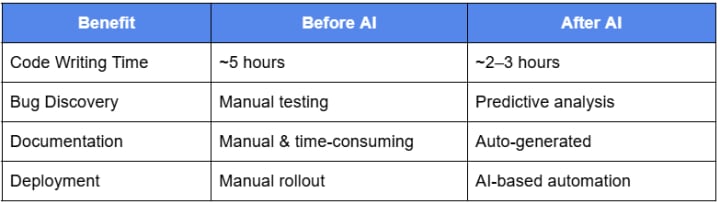
Most importantly, expert software development services provide strategic value, not just technical execution. From concept validation and user journey mapping to post-launch optimization, these teams focus on creating reliable, future-proof solutions that drive measurable business outcomes and long-term ROI.
Conclusion
AI tools are no longer futuristic—they’re now essential in building better software, faster. By integrating AI into every stage of the SDLC, teams are achieving unprecedented speed, accuracy, and innovation.
If you're not using AI in your development process yet, you’re already behind.
FAQs
1. What are AI tools in software development?
AI tools in software development assist with code generation, testing, deployment, and system monitoring using intelligent algorithms.
2. How does AI help in software development?
AI automates repetitive tasks, improves code quality, predicts bugs, and accelerates deployment through intelligent decision-making.
3. Which AI tools are used in coding?
Popular AI coding tools include GitHub Copilot, Amazon CodeWhisperer, Tabnine, and DeepCode for code suggestions and bug detection.
4. Can AI generate complete software applications?
AI can assist in generating modules or features, but complete, production-ready apps still require human oversight and system design.
5. How does AI improve software testing?
AI creates adaptive test cases, reduces manual errors, and detects performance issues with tools like Testim, Functionize, and Mabl.
6. Is AI replacing software developers?
No, AI complements developers by improving productivity. It enhances tasks, but core architecture, creativity, and decision-making remain human-led.
7. How does AI work in deployment?
AI helps automate deployment pipelines, detect anomalies in real-time, and roll back code when performance drops unexpectedly.
8. What are the benefits of using AI in SDLC?
Faster development, fewer bugs, better collaboration, improved documentation, and proactive system maintenance are key benefits of AI in SDLC.
About the Creator
Theo's Blogs
Passionate about SEO and Software Development, I help businesses grow with cutting-edge web, mobile, and AI solutions. Working at TechVerdi.
Keep reading
More stories from Theo's Blogs and writers in Journal and other communities.
Top 07 Character AI Alternatives in 2025
Top 07 Character AI Alternatives in 2025: Uncensored, Smarter & More Customizable Character AI, while innovative, is no longer the only go-to solution for interactive, conversational AI. As of 2025, the demand for more open, customizable, and uncensored AI chatbot platforms has significantly grown. Users want platforms that provide them creative control, freedom from filters, and enhanced privacy.
By Theo's Blogs6 months ago in Journal
~ Fired ~
— Ai Intrusion ~ Are you Next ~ Is Ai Evolution after your job? — Few workplaces haven't been affected. Ai is in supermarkets, at doctors' offices, and even monitoring farms. I just can't think of anything this machine is not getting into, can you? For instance: Education ~ Law and Tech jobs will one day have a major influence or be taken over by these inanimate machines, with accuracy and vigor. From mechanics' diagnoses to a wide variety of everyday jobs, including fast food workers, with this input having the ability to cut their unnecessary work hours. I'm certain all of us have been touched by this with our short stories and colorful headings, have you? Even comments are very questionable 'Non-Robot' insertions.
By Jay Kantor6 days ago in Journal
Energy Transition Index: How the Brazil Renewable Energy Market Compares Globally
The global race to net-zero is intensifying, but one nation is already running a different race. The Brazil renewable energy market stands as a global anomaly, boasting a green grid that most developed nations can only dream of achieving by 2050. While other countries struggle to phase out coal, Brazil ranks impressively high on the Energy Transition Index. But what do the numbers actually say? According to the IMARC Group, the market size is set to reach USD 17.4 billion in 2025, proving that sustainability and profitability can go hand in hand.
By Joey Mooreabout 22 hours ago in Journal


Comments
There are no comments for this story
Be the first to respond and start the conversation.