
Your Laptop Isn’t Slow. It’s Overheating.
Why managing heat might be the productivity upgrade you didn’t realize you needed.
There’s a moment every laptop user knows.
The fan starts spinning louder.
The keyboard feels warmer than usual.
Your system slows down right when you need it most.
You close a few tabs.
You restart.
You blame the software.
But sometimes, the real issue isn’t memory.
It’s heat.
Laptops are powerful, compact machines. They’re designed to handle multitasking, heavy software, video calls, editing tools, analytics dashboards, coding environments, and more. But unlike desktops, they operate in tight spaces with limited airflow.
When heat builds up, performance quietly drops.
And most people don’t connect the two.
The Hidden Impact of Laptop Heat
Heat doesn’t just make your device uncomfortable to touch. It affects performance in subtle but important ways.
When a laptop overheats:
Processing speeds may slow down.
Applications may lag.
System stability can decrease.
Internal components can experience long-term wear.
In professional environments, especially in IT and remote roles, performance consistency matters. A few seconds of lag during a meeting. A frozen screen during a presentation. Slow rendering during an important task.
These moments feel small, but they interrupt flow.
And flow is everything.
Why Laptops Overheat More Than You Think
Modern laptops are thinner and more powerful than ever. But thin design often means limited cooling capacity.
Add to that:
Soft surfaces like beds or couches blocking airflow.
Long work hours without breaks.
Multiple background applications.
High-performance software.
Heat accumulates quietly.
Many users assume this is normal.
But “common” doesn’t mean “optimal.”
The Role of a Laptop Cooling Pad
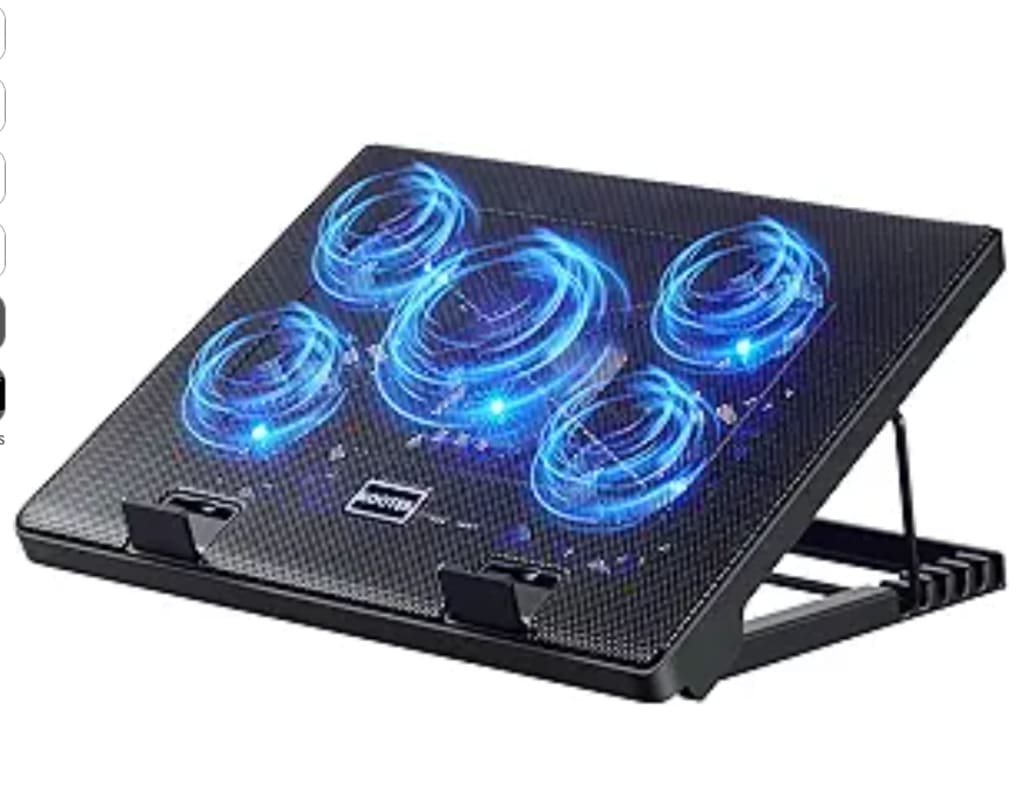
A laptop cooling pad is a simple device designed to improve airflow beneath your laptop. It typically includes built-in fans and a raised platform that allows heat to dissipate more effectively.
At first glance, it seems basic.
But its impact can be surprisingly practical.
By elevating the laptop:
Air can circulate more freely.
Heat escapes instead of being trapped.
The device operates at a more stable temperature.
Some cooling pads also include adjustable fan speeds and height settings, which improve both cooling efficiency and typing comfort.
It’s not flashy technology.
It’s functional support.
Performance Is Not Just About Software
In modern work culture, we focus heavily on digital tools. We upgrade apps, install plugins, optimize workflows.
But hardware environment plays a significant role too.
When your laptop runs cooler:
Performance feels smoother.
System slowdowns are less frequent.
The device feels more stable under pressure.
Long sessions become more manageable.
For professionals working long hours on resource-intensive tasks, thermal management becomes part of productivity strategy.
It’s not dramatic.
It’s practical.
The Comfort Factor
Beyond performance, there’s comfort.
Typing on a hot keyboard isn’t pleasant. Resting your palms on a warm surface during extended work sessions can become distracting.
A cooling pad often doubles as an ergonomic tool because it slightly elevates your screen. That small tilt can:
Improve posture.
Reduce neck strain.
Make typing more comfortable.
Again, small adjustment.
Real impact.
A Long-Term Mindset
Heat affects electronics over time. Consistent overheating can contribute to faster internal wear.
While a cooling pad doesn’t replace proper device care, it supports healthier operation, especially for users who:
Work daily on laptops
Use heavy software
Keep devices running for extended hours
Operate in warm environments
It’s one of those upgrades that feels unnecessary until you experience the difference.
Then it feels obvious.
Final Reflection
We often blame our tools when they slow down.
But sometimes, they’re simply struggling to breathe.
A laptop cooling pad is not about performance hype.
It’s about helping your device operate under better conditions.
In digital workspaces, where reliability matters, managing heat becomes part of managing productivity.
Sometimes the smartest upgrade isn’t louder hardware.
It’s cooler hardware.
About the Creator
Keep reading
More stories from Bahati Mulishi and writers in Lifehack and other communities.
When a Piano Moves, a Story Moves With It in Sarasota, Florida
In Sarasota, Florida, music has a way of blending into daily life so naturally that it often goes unnoticed. It drifts through open windows, echoes softly from cultural venues, and lingers in the background of ordinary afternoons. Among all instruments, the piano holds a particularly intimate place in this coastal city. It is not simply something that produces sound. It is a presence that occupies space, memory, and emotion. When a piano needs to be moved, what shifts is far more than a heavy object. A piece of personal history begins a quiet journey.
By House Doctor4 days ago in Lifehack
Mismatch Challenge Winners
Blending genres isn’t about stacking elements side by side. It’s about what happens when two sets of expectations refuse to cooperate. The strongest entries in the Mismatch Challenge understood that tension and leaned into it. Rather than smoothing the edges, these stories let their chosen genres complicate one another, creating friction that carried through voice, structure, and consequence.
By Vocal Curation Team2 days ago in Resources




Comments
There are no comments for this story
Be the first to respond and start the conversation.