
Computer Network Basics: Goals, Features, and Applications
Computer Network Basics: Goals

Basic of Computer Network
What is Computer Network : It means to connect multiple computer system with each other through physical medium (Cable or Wire) or wireless medium and this architecture is known as “Computer Network“
In traditional computer networks, single computer machine, workstation, and servers are linked one by one through Ethernet and other cables. But now, advance technologies are released in market in which to make connection between multiple points through wireless technology.
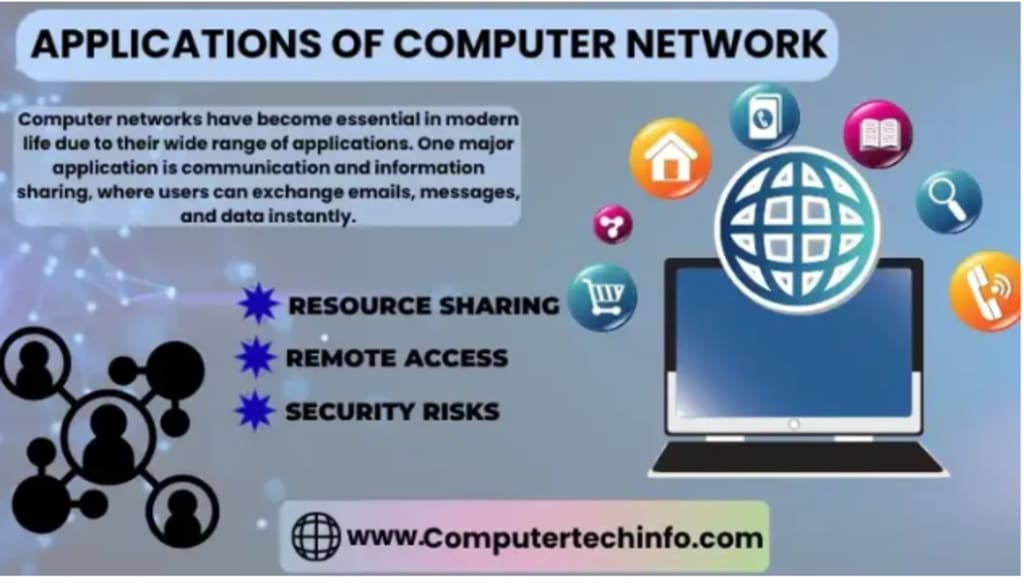
Applications of Computer Network
There are different types of Computer network applications that are used in internet, and they are divided into in to two segments such as:
Pure Network Standalone Network
Goals and Applications of Computer Network are
1) Pure Network Application
Pure network applications do not depend on the single computer machine because those applications help to make connection over network and to transfer data from one point to other points.
Some examples are:
Email Software
These types of programs help to users for writing messages at their local computer system, and forward it to other users over the network. This is very simple and easy way of moving mail (message) from one computer system to other computer machine.
Some mail programs are
Pegasus Mail
Outlook express
Eudora Windows mail
Fox mail
Opera
Poco mail
Mozilla Thunderbird
Windows mail
FTP
FTP stands for “File Transfer Protocol”, and it allows transferring all files from one computer machine to other computer machines like as client to server process.
File Transfer Protocol performs two tasks are
Upload file – In this process, users access all data from workstation to server machine. For example – upload images to Google drive.
Download file – In this process, users access all data from server to workstation machine (client). For example – download software from server.
Some File Transfer Protocol programs are
FTP in Unix
FTP in Linux
FTP in Windows
TELNET
TELNET stands for “Telecommunication Network”, and it is text based network protocol that is implemented on the LAN connections otherwise internet system. So, TELNET allows to users for getting access remote computer machine over TCP/IP networks (internet), and to make communication in between both terminals.
Groupware
Groupware applications are implemented in advanced offices, where there is a need to automate administrative functionalities. Examples include chatting (text/video) and video conferencing. These applications help to increase productivity and solve problems. Groupware often operates in a multi process environment to handle simultaneous tasks efficiently. It is also an integral part of education, known as CSCW (Computer-Supported Cooperative Work).
Video Conferencing
Video Conference means to make conference between two parties on the different zone (remotely) with helping computer network to transmit voice and video data.
For making video conference, both participants must be video camera, microphone, and speakers connected on their computer machine.
There are some types of video conference such as:
Telepresence Video Conferencing System
Integrated Video Conferencing System
Desktop Video Conferencing System
Service-based Video Conferencing System
Codec
Some best video conference programs are
Zoom
Google Hangouts
Google Meet
GoToMeeting
Skype for Business
Cisco WebEx
BlueJeans
Slack
Chatting
On the internet in real-time, if two or more persons try to make communication with writing text, and then all participants exchange their messages in between, it is known as Chatting.
There are three types of chatting such as:
IM (Instant Messaging)
ICQ (I seek you)
IRC (Internet Relay Chat)
Some Best Chat Apps
Telegram
GroupMe
Line
Kakao Talk (KaTalk)
Kik Messenger
2) Stand Alone Applications
Stand Alone Applications are used in some years ago, which are installed on every client machines, and these are independent platform, as well as they can operate offline. These applications can be operated on any your favorite operating system, and all data of applications are saved on Central server to make synchronization between server and applications.
Some Stand Alone Applications are
Vlc media player
Adobe Photoshop
Notepad++
Word processors
Spreadsheets
Database management systems
Presentations graphics
Project management
Home Applications of Computer Networks are
Access to remote information
Person-to-person communication
Interactive entertainment
Electronic commerce
Other Applications of Computer Network
Marketing and sales
Financial services
CAD, CAM etc.
Information services
Cellular telephone
Cable television
Teleconferencing
EDI
E-mail etc.
About the Creator
computertechinfo
I think you want would probably know somewhat about me.
I am Er. R S Banger belong to India and, love to innovative mind.
I am starting my blogging career after completing B Tech(CSE), M Tech(CSE), and doing Research in Digital Marketing.
Keep reading
More stories from computertechinfo and writers in Writers and other communities.
Page Replacement Algorithms in OS with Examples
What is Page Replacement in Operating System Definition: Page replacement policies determine which type of page should be replaced, but these page replacement strategies are only implemented when the requested page does not exist in the primary memory. In a computer system, managing memory efficiently is crucial for optimal performance. Here, we will explain all the key page replacement algorithms used in operating systems.
By computertechinfo7 months ago in Writers
Unofficial Challenge: What would you do if you were rich?
I love the kind of work I get to do in my career, but as I job search and browse apartments again due to another understaffed and unsustainable work environment that I did not intend to get into, my daydreams of better days consistently lean into the same question: What would I do if I didn't have to worry about my basic needs being met?
By Kay Husnick8 days ago in Writers
Business Events Highlight The Role Of Board Meetings In Driving Startup Growth
What if your startup’s next phase of growth depended less on new ideas and more on how key decisions are made? As companies scale, momentum is no longer fueled by speed alone. Execution begins to demand structure, alignment, and informed challenge. Board meetings often mark this transition, helping founders move from instinct-led decisions to leadership discipline that supports consistent startup growth and long-term confidence.
By Founders 2.0 Conference7 days ago in Writers




Comments
There are no comments for this story
Be the first to respond and start the conversation.